An employee job description template is a ready-made structure (job title, summary, responsibilities, requirements, pay and benefits) that you fill in to publish a clear, fair job ad in minutes. It matters because the ad is the first thing candidates see, and one biased word, an extra requirement or a missing salary can keep good people from applying. You need one every time a role opens, whether you post on Indeed, LinkedIn or your careers page.
A job description explains what a job involves (its purpose, main tasks and requirements) and, when it is published as a job ad, also tells applicants the pay, the place and how to apply. A good template gives that information a fixed order: a title people actually search for, one or two lines about the role, responsibilities written one per line and starting with a verb, must-have requirements, nice-to-have requirements, pay and benefits, and an equal opportunity statement. That order saves time for you and for every applicant who reads it.
On top of that, the template forces a useful decision: what the person truly needs on day one. Must-haves are those day-one skills, while everything else belongs under nice-to-have. When the must-have list runs long, capable people screen themselves out before they even apply. For that reason, recruiters, small business owners without an HR team and HR managers use a template not only to write faster, but also to keep every role posting consistent across teams and countries.
An inclusive job description asks for the skills the job needs and avoids words that describe the age, sex or origin of the ideal person. Research by Gaucher, Friesen and Kay (2011) found that ads with many masculine-coded words, such as «competitive», «dominant» or «driven», felt less appealing to women because they expected not to belong, not because they doubted their ability. The goal is balance, not a list of banned words: some coded words, like «analyst», are simply part of the job.
|
Instead of |
Why |
Better |
|---|---|---|
|
recent graduate |
Suggests an age |
The degree or skill you need |
|
native English speaker |
Describes origin, not level |
fluent English |
|
salesman |
Assumes a sex |
salesperson / sales representative |
|
Canadian experience |
Prima facie discriminatory per the OHRC |
Specific knowledge, e.g. «Canadian payroll rules» |
|
competitive salary |
Says nothing |
The real range: «$45,000 – $52,000 per year» |
|
the successful candidate will |
Sounds distant |
you will |
Based on guidance from the EEOC (US), GOV.UK, the Ontario Human Rights Commission and the Australian Human Rights Commission.
A job description template changes by country in three ways: the name of the document, the way requirements are labeled and whether the pay range is mandatory. In the US, it is illegal to publish an ad that shows a preference or discourages applicants based on race, color, religion, sex, national origin, age (40 or older), disability or genetic information, and the EEOC notes that ads seeking «recent college graduates» can discourage older workers.
|
|
US |
UK |
Canada |
Australia |
|---|---|---|---|---|
|
Document name |
Job description |
Job description + person specification |
Job description |
Position description |
|
Requirements |
Must-have / nice-to-have |
Essential / desirable criteria |
Requirements / assets |
Key selection criteria / desirable |
|
Pay in the ad |
Required in several states (California, Colorado, New York, Washington, among others) |
Not required |
Required in British Columbia and Ontario |
Not required; state «+ super» |
As of November 2026, two Canadian provinces stand out. British Columbia has required a wage or expected range in every public posting since November 1, 2023, and open-ended ranges like «$20 an hour or more» are not accepted. Since January 1, 2026, Ontario employers with 25 or more employees must include pay or a range, and that range can’t span more than $50,000 (except for roles above $200,000). Pay transparency laws change often, so check your state or province rules before you post.
Meanwhile, a job description template UK version usually adds a person specification with essential and desirable criteria, and GOV.UK advises using phrases like «recent graduate» or «highly experienced» only when they are genuine requirements. In Australia, hiring managers search for a position description template instead, and the ad lists key selection criteria and makes clear whether the salary includes superannuation.
Read more: Mock Interview Coach
The best job description template tools combine ready examples with a review of what you type. We checked each option on November 7, 2026, and the differences are clear: some give you text, some only review it, and only a few do both.
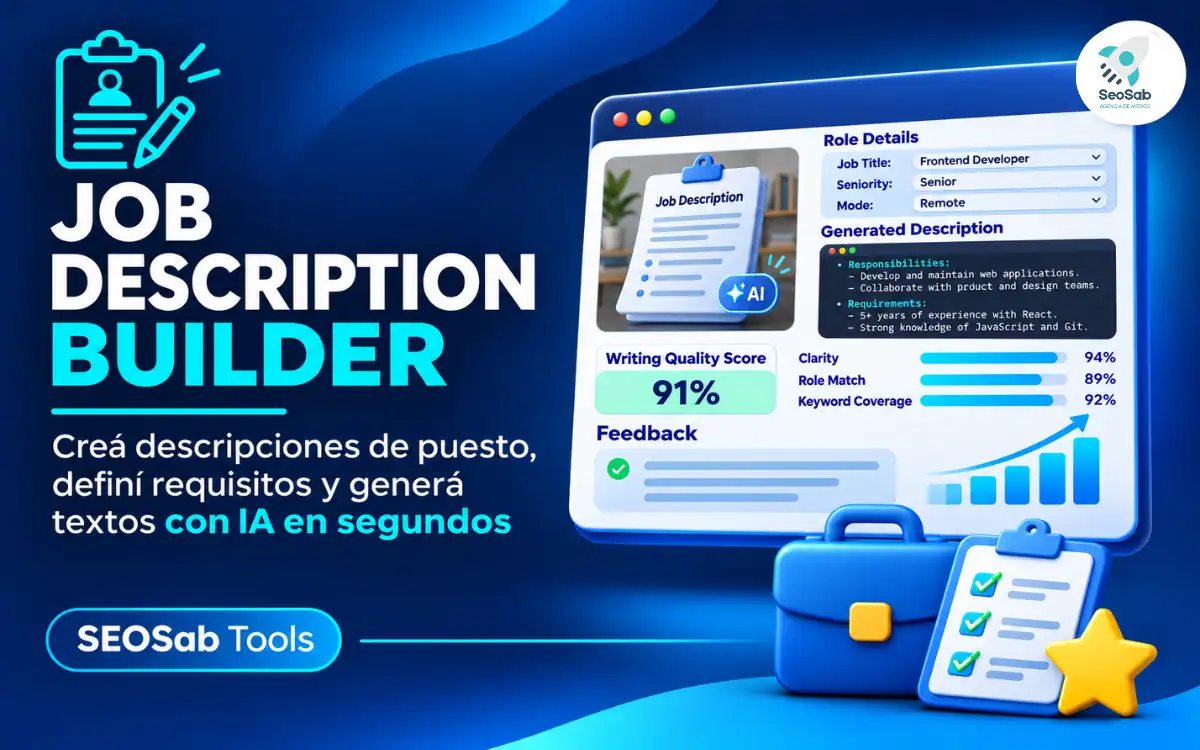
The Job Description Builder starts from six example job description templates (customer service, sales, administrative assistant, software engineer, marketing manager and warehouse operative) and adapts to the US, UK, Canada and Australia. While you write, it checks eight points live: excluding phrases, gendered titles, pay range rules, coded word balance, number of requirements, clichés, whether it speaks to the reader and length. It is free, needs no sign-up and stores nothing.
Indeed and Workable offer hundreds of role templates written by their teams, designed to publish ads inside their own platforms. They work well as a starting point when you have no idea where to begin. However, they are fixed texts: they don’t review what you change, don’t warn you when pay is missing and don’t flag phrases that exclude older or foreign-born applicants.
Gender Decoder, created by Kat Matfield, is a free tool that highlights masculine and feminine-coded words in any job ad, based on the same 2011 study. You paste your text and get a quick verdict on its tone. Its scope is narrow, though: it doesn’t build the ad, doesn’t check age or origin phrases and knows nothing about pay rules in each country.
Textio is paid software for large companies that uses artificial intelligence to suggest changes to job ads. It goes deep into language and covers several kinds of bias. Even so, it doesn’t publish prices (you request a demo), and it is built for big recruiting teams rather than a small business that posts one ad a month.
AI assistants like ChatGPT are handy for a fast first draft of a role’s responsibilities. On the other hand, they tend to write in clichés like «fast-paced environment» or «rockstar», and they don’t know whether your state or province requires a pay range. Run any AI draft through a reviewer before publishing it.
|
Tool |
Role examples |
Gender bias check |
Age and origin check |
Pay rules by country |
Cost |
|---|---|---|---|---|---|
|
SeoSab Job Description Builder |
6 |
Yes |
Yes |
Yes (US, UK, Canada, Australia) |
Free, no sign-up |
|
Indeed / Workable templates |
Hundreds |
No |
No |
No |
Free |
|
Gender Decoder |
No |
Yes |
No |
No |
Free |
|
Textio |
Yes |
Yes |
Yes |
Not stated |
Paid, quote on request |
To write a job description with the builder, pick your country and a starting example, fill in four tabs and fix what the live check flags. The whole process takes a few minutes, and the button and field names below match the app.
Here is a real test you can copy as a sample job posting template of what not to do. The ad reads: «We are looking for a young, competitive and driven rockstar salesman. The ideal candidate is a recent graduate and native English speaker who thrives in a fast-paced environment. He will lead, dominate and challenge the market. Competitive salary.» The builder flags three items to fix and two to improve.
To fix, it marks four excluding phrases («recent graduate», «young», «native English speaker» and «He will»), the gendered title («salesman» → «salesperson / sales representative») and the missing pay range. To improve, it notes the text leans masculine with five words (competitive, driven, lead, dominate, challenge) and uses three clichés, including «competitive salary», which works better as the real range. Likewise, if you set Canada and enter $60,000 to $115,000 per year, it warns that Ontario caps a posted range at a $50,000 spread.
A clear employee job description template helps you hire faster and keeps good candidates from walking away over one careless word or a missing salary. The builder is a writing aid, not legal advice, so confirm your local rules before posting. If you still need to set the pay range, try the free Salary Increase Calculator.
Which phrase do you see most often in job ads that you would never write in yours? Tell us in the comments.
SEOSab
Agencia SEO Argentina, Marketing Digital y Vibe Coding AI, con más de 6 años de experiencia en el mercado.
Políticas de Privacidad
© 2019-2026 Creado por Agencia SEO y Vibe Code AI website by SEOSAB