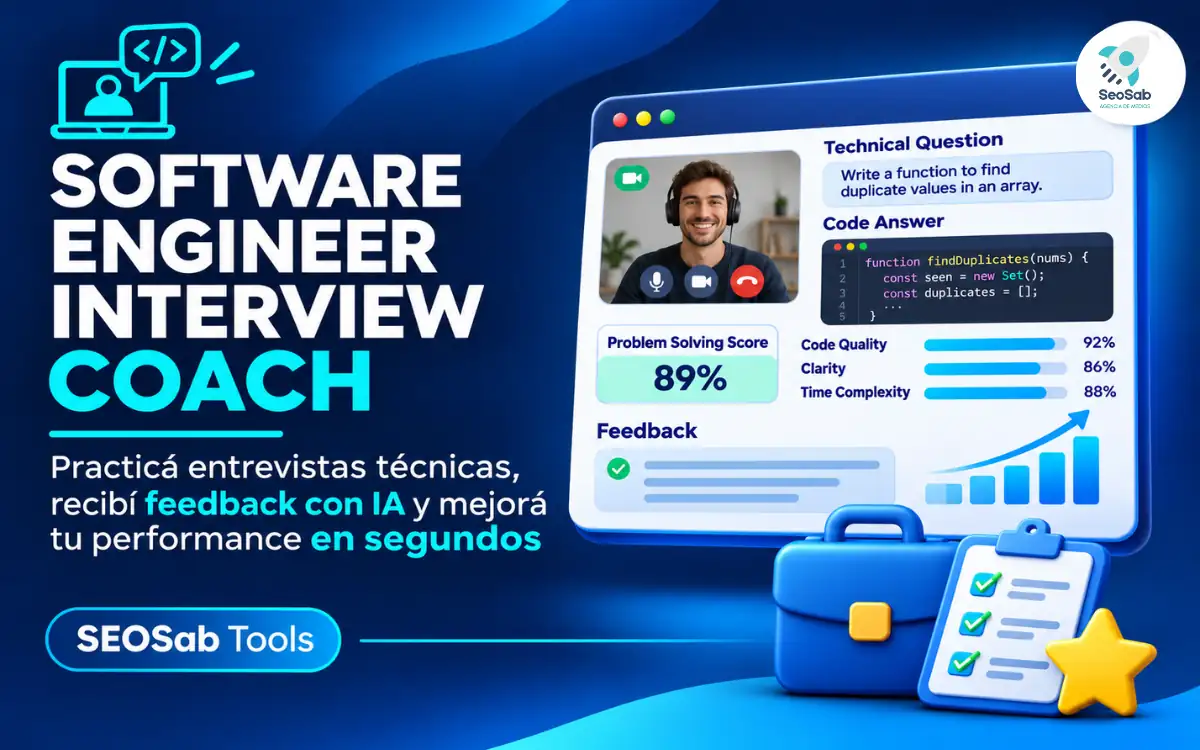
Software engineering interview questions now measure how well you direct the AI agents that write the code, and Software Engineer Interview Coach lets you practice them for free with an instant score.
Software Engineer Interview Coach is a free web tool for practicing AI-era interview questions, where you’re judged on how you lead AI agents rather than on how fast you type code yourself. Each round serves four realistic prompts, like writing the brief for an agent that must add rate limiting to a public REST API, or reviewing a 900-line pull request an agent opened against a payments service. You answer in English, as if you were talking to the interviewer, and the tool grades your response on the spot from 0 to 100.
Behind that number sits BRIEF, a proprietary method created by SeoSab specifically for this new type of AI coding interview. In practice, a strong answer gives the agent context, defines what «done» means, limits what it can touch, explains how the work gets verified and anticipates what could break. The grading doesn’t rely on AI either: it uses fixed rules, so feedback is instant, private and always identical for the same answer. Your text never leaves the browser, and you don’t need an account, an email or a download to begin.
|
Letter |
Stands for |
What your answer needs |
|---|---|---|
|
B |
Background |
The context the agent lacks: the system, the codebase, the business rules |
|
R |
Requirements |
What it must achieve and how you’ll know it’s finished |
|
I |
Interfaces & limits |
What it may and may not touch: files, APIs, data, permissions |
|
E |
Evaluation |
How the work gets checked: tests, code review, metrics |
|
F |
Failure modes |
What can go wrong and where a human steps in |
The method behaves like a demanding interviewer. If your answer skips one of the five elements, the score is capped at 69 out of 100, just below the «Strong» band that starts at 70. Skip two or more and the ceiling drops to 55, so a brilliant architecture answer still falls short if you never explain how you’d test it.
Software Engineer Interview Coach is built for tech professionals getting ready for technical interviews in English, from junior developers to staff engineers. Its three levels unlock as you improve, so the tool grows with you instead of feeling too easy after a weekend. Most prep material still revolves around LeetCode-style exercises, while newer interviews ask how you specify, supervise and verify work done by AI. That gap is exactly what this coach trains, which makes it a good fit for:
As for progression, Core is open from the first visit, while Senior and Staff unlock once you average 70 or higher across at least three answers in the previous level. That rule keeps the climb honest, because you can’t jump into Staff-level incident scenarios without first proving you can write a solid brief for a single agent.
You practice by opening the tool in your browser, choosing a level and a topic, and answering four written questions per round. It works on desktop and mobile, either embedded in this post or directly at seosab-tools.pages.dev/software-engineer-interview. Follow these steps to start:
Once you submit, the screen breaks the result into parts: a 0–100 score, the BRIEF checklist showing which elements are present or missing, «What’s working», up to three tips under «How to improve», a «Skill breakdown» across six skills and «How you answered». The sweet spot is 120 to 320 words per answer, roughly one to two and a half minutes when spoken aloud at 130 words per minute.
From there, the coach pushes you the way a real panel would. If something is missing, the interviewer asks a follow-up such as «How would you prove it works?», and you reply with «Answer the follow-up» to get rescored. Alternatively, use «Edit & rescore» to polish your original answer, or open «See a strong example answer» to compare it against a model response.
When you’re ready, click «Next question» and, at the end of the round, «See my report». The report highlights your strongest and weakest skill, your estimated speaking time and a question-by-question summary. Use «Skip» to pass on a question, or «Retry these questions» to repeat the same round and measure how much your score improved.
The coach includes four practice topics plus a mixed mode, along with extra features that turn a single session into a training routine. You pick the topic in the Focus menu before starting each round.
On top of the topics, several features keep you coming back:
A typical prompt reads: «An agent keeps ‘fixing’ failing tests by changing the assertions instead of the code. How do you rewrite your brief so it stops?» That’s the kind of question a classic algorithm drill never prepares you for.
You build six skills, the same ones the coach scores in its Skill breakdown, and each maps to what interviewers now look for when AI writes most of the code. Together they add up to a single ability: specifying, supervising and verifying work you didn’t type yourself.
The difference from traditional preparation is easy to see side by side:
|
|
Classic coding drills |
Software Engineer Interview Coach |
|---|---|---|
|
Main focus |
Solving algorithm problems yourself |
Directing and checking AI agents |
|
What gets evaluated |
Correct, efficient code |
Context, limits, verification and failure planning |
|
Feedback |
Pass or fail on test cases |
0–100 score, BRIEF checklist and up to 3 tips |
|
Levels |
By problem difficulty |
Core → Senior → Staff, unlocked by performance |
|
Cost and access |
Varies by platform |
100% free, no account, runs in the browser |
That’s why preparing for a software engineering interview today means practicing both: algorithms still show up, but an AI coding interview round can decide the offer on its own.
Which of the four topics feels toughest for you right now: briefing an agent, reviewing its code, designing around it or handling an incident? Share your experience in the comments and tell us which question tripped you up the most.
SEOSab
Agencia SEO Argentina, Marketing Digital y Vibe Coding AI, con más de 6 años de experiencia en el mercado.
Políticas de Privacidad
© 2019-2026 Creado por Agencia SEO y Vibe Code AI website by SEOSAB